
-
Find the customer for whom you want to create a new account.
-
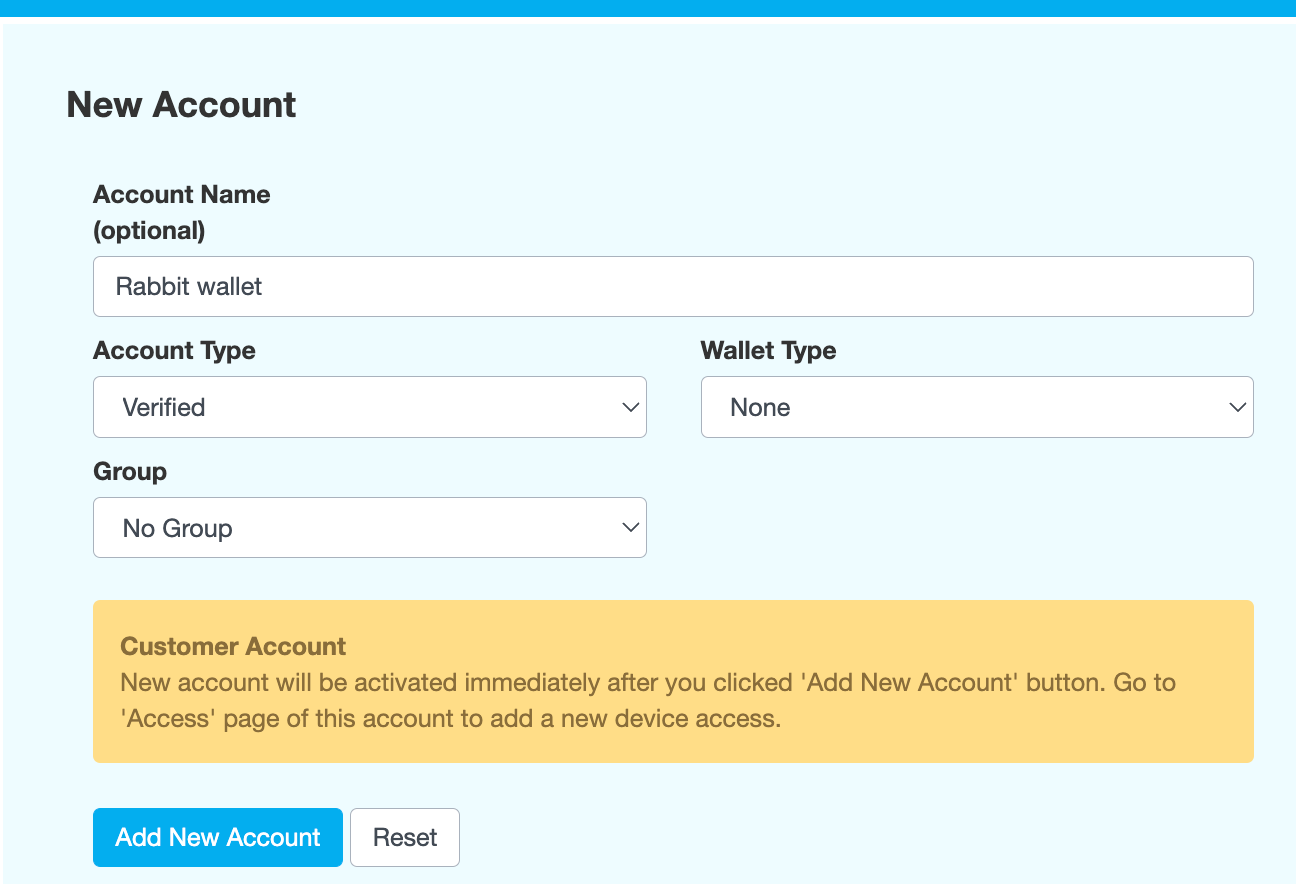
On the New Account tab, enter an Account Name.
-
Select an Account Type. If the status of the customer is KYC Approved, then the account type should be Verified. If not, it should be Unverified.
-
In the Wallet Type field, select None.
-
In the Group field, select No Group.
-
Click Add New Account.
-
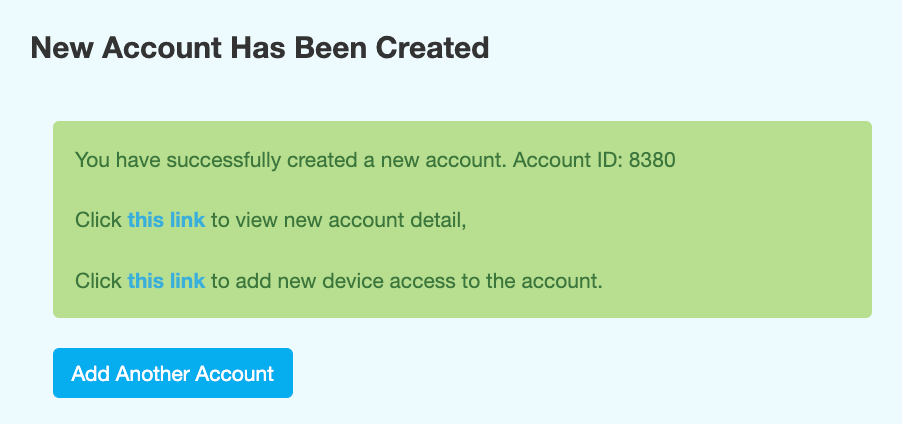
Enter the reason for adding the account, then click CONFIRM. This creates an account with SMS, email and push notifications enabled and displays the following message:
-
Follow the links in the confirmation message to view the new account and add device access.
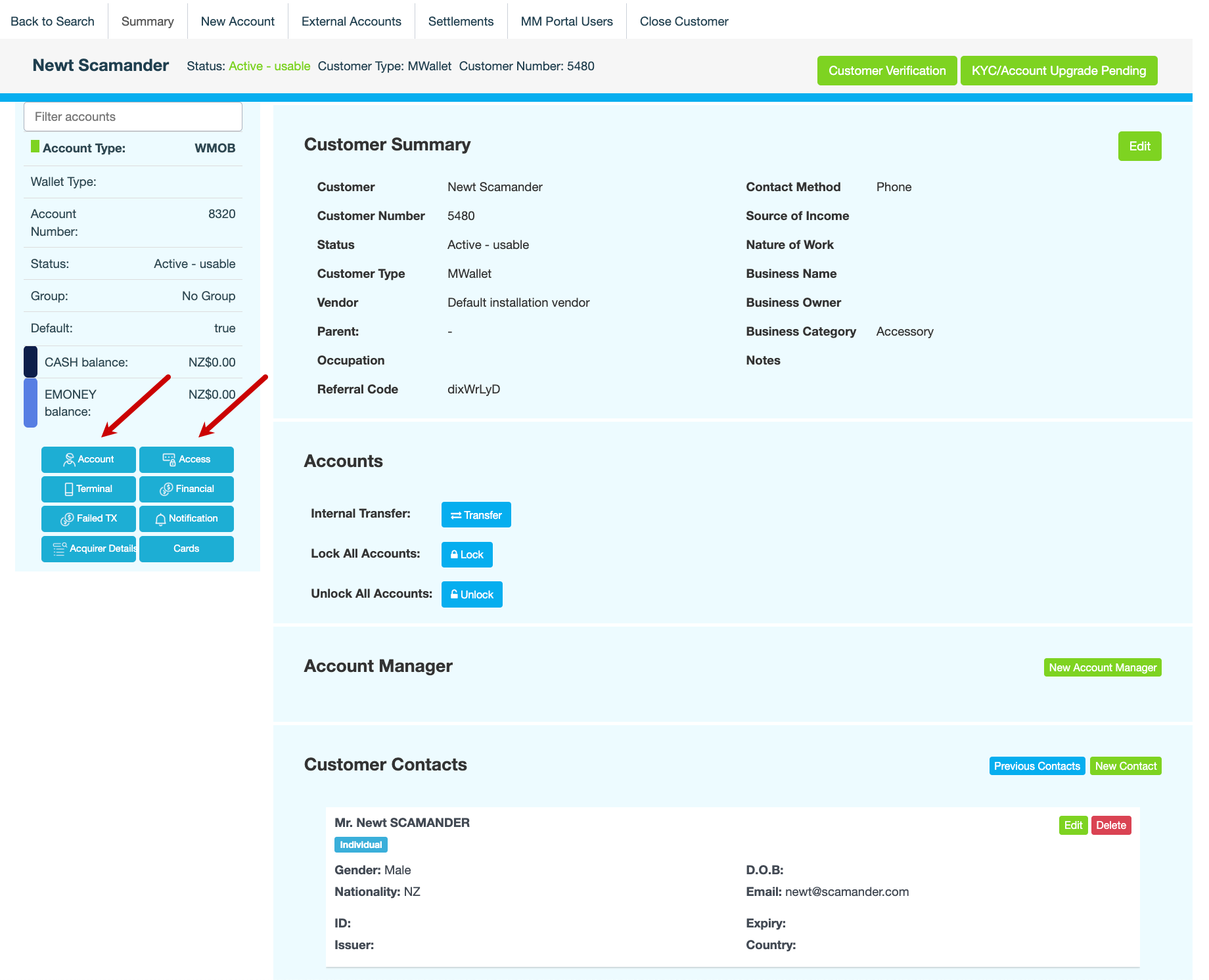
Alternatively, on the customer record...-
Click Account to view the account you just created. The page refreshes to display the account summary, balance and authentication limits.
-
Click Access to add an access method. Access methods are the devices that a customer uses to access their eMoney account, such as a mobile phone.
-