-
Find the customer whose transactions you want to review.
-
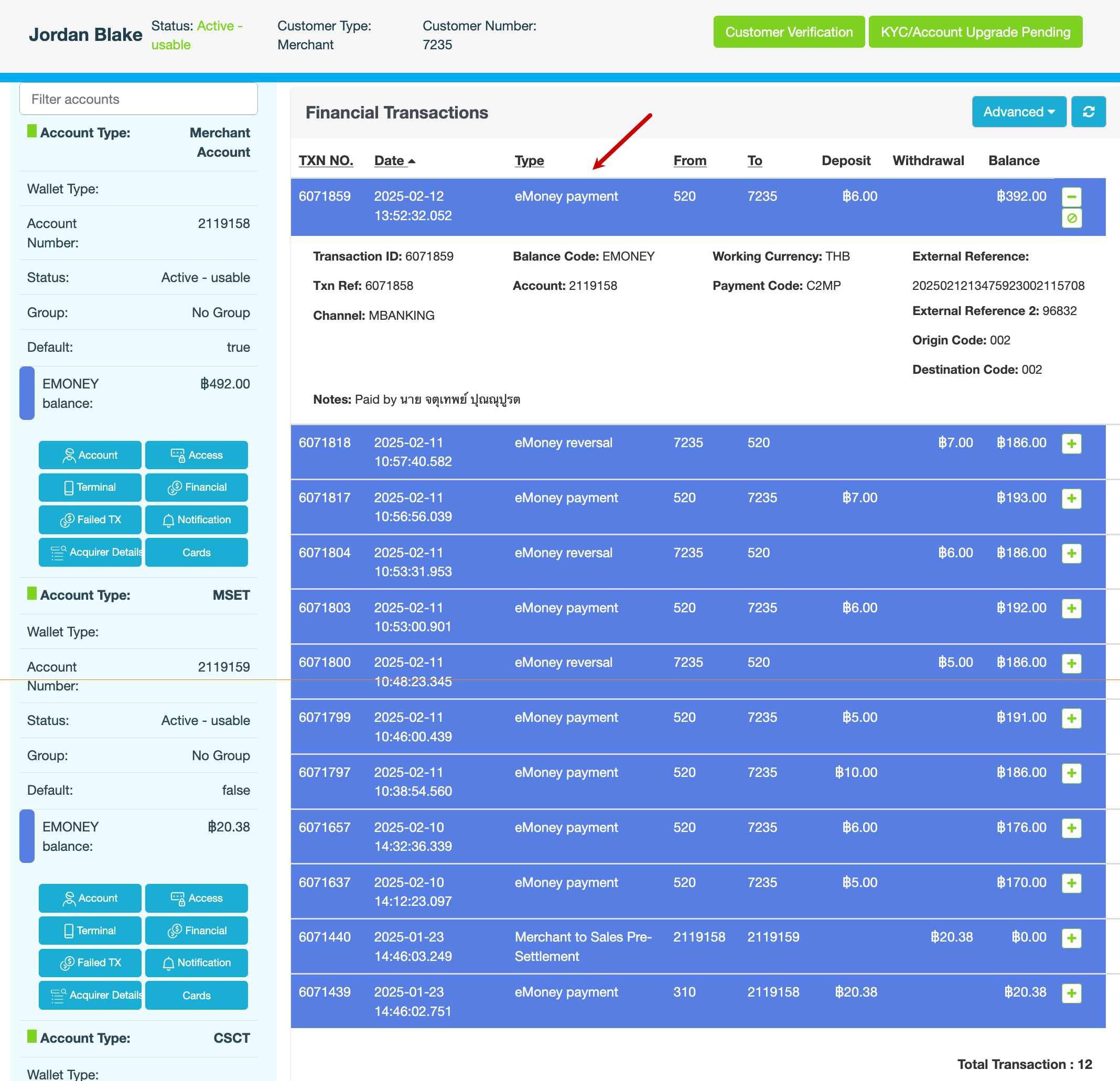
In the blue pane, locate the Merchant account, then click Financial.
-
On the Financial Transactions page, click Advanced.
-
Enter your search criteria, then click Apply.
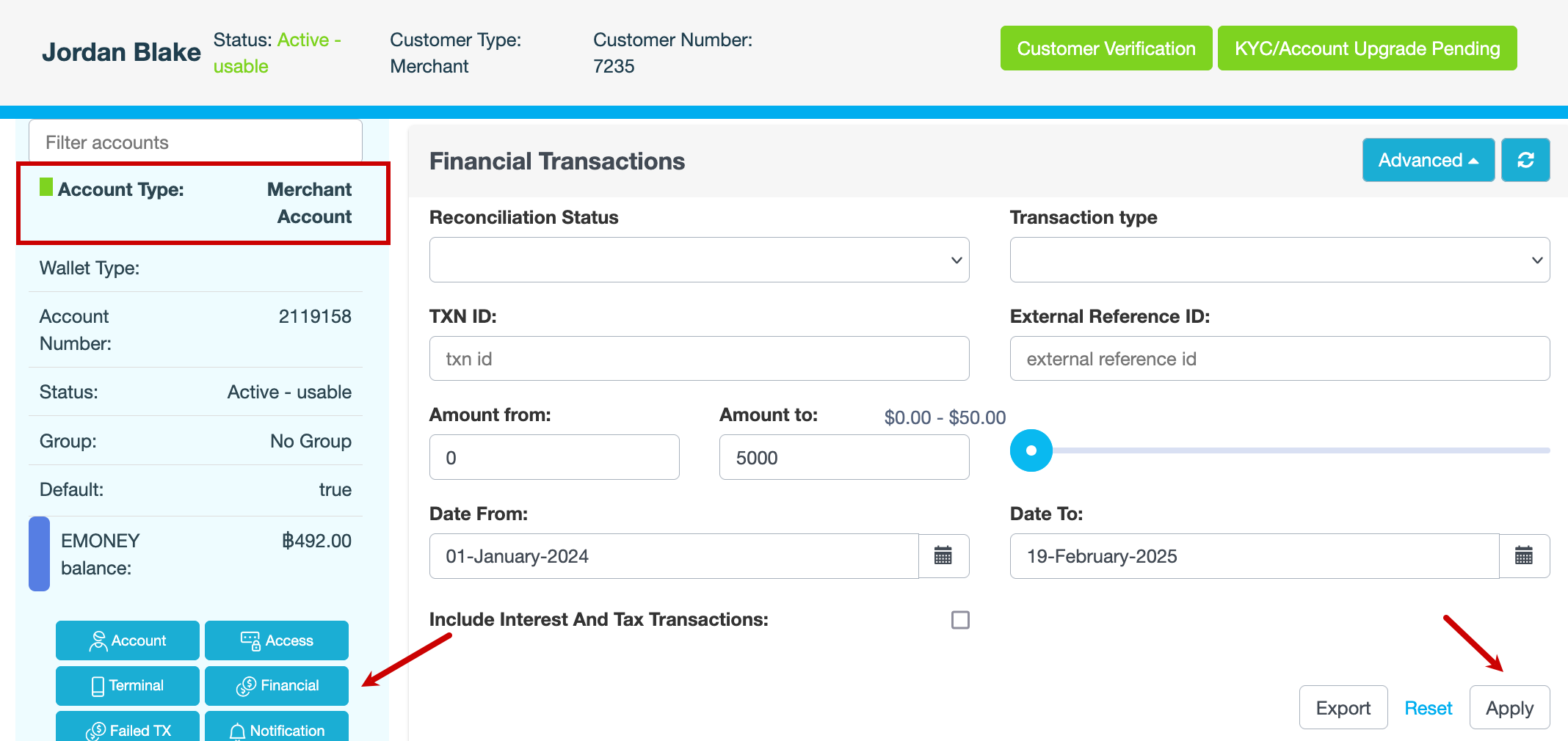
Field
Description
Reconciliation Status
Whether the financial transaction was successfully matched during reconciliation
-
Matched – Transaction has successfully reconciled with a corresponding record
-
Undermatched – Transaction is not fully reconciled. A matching record is missing or incomplete.
-
Overmatched – Transaction has multiple potential matches, leading to an inconsistency that requires review
Transaction type
For example, Bank Deposit, Bank Withdrawal, Transaction Fee, Customer Transfer.
TXN ID
Internal ID of the financial transaction
External Reference ID
External ID of the financial transaction. Only applies to third-party transactions such as POLi.
Amount from
Amount toAmount range in cents. You can also use the slider to enter the amount up to which you want to search.
Date From
Date ToDate range you want to search
Include Interest And Tax Transactions
Select the checkbox if you want the search results to include interest and withholding tax transactions.
The search results are displayed.
-
-
Click