
-
Find the customer whose QR code you want to print.
-
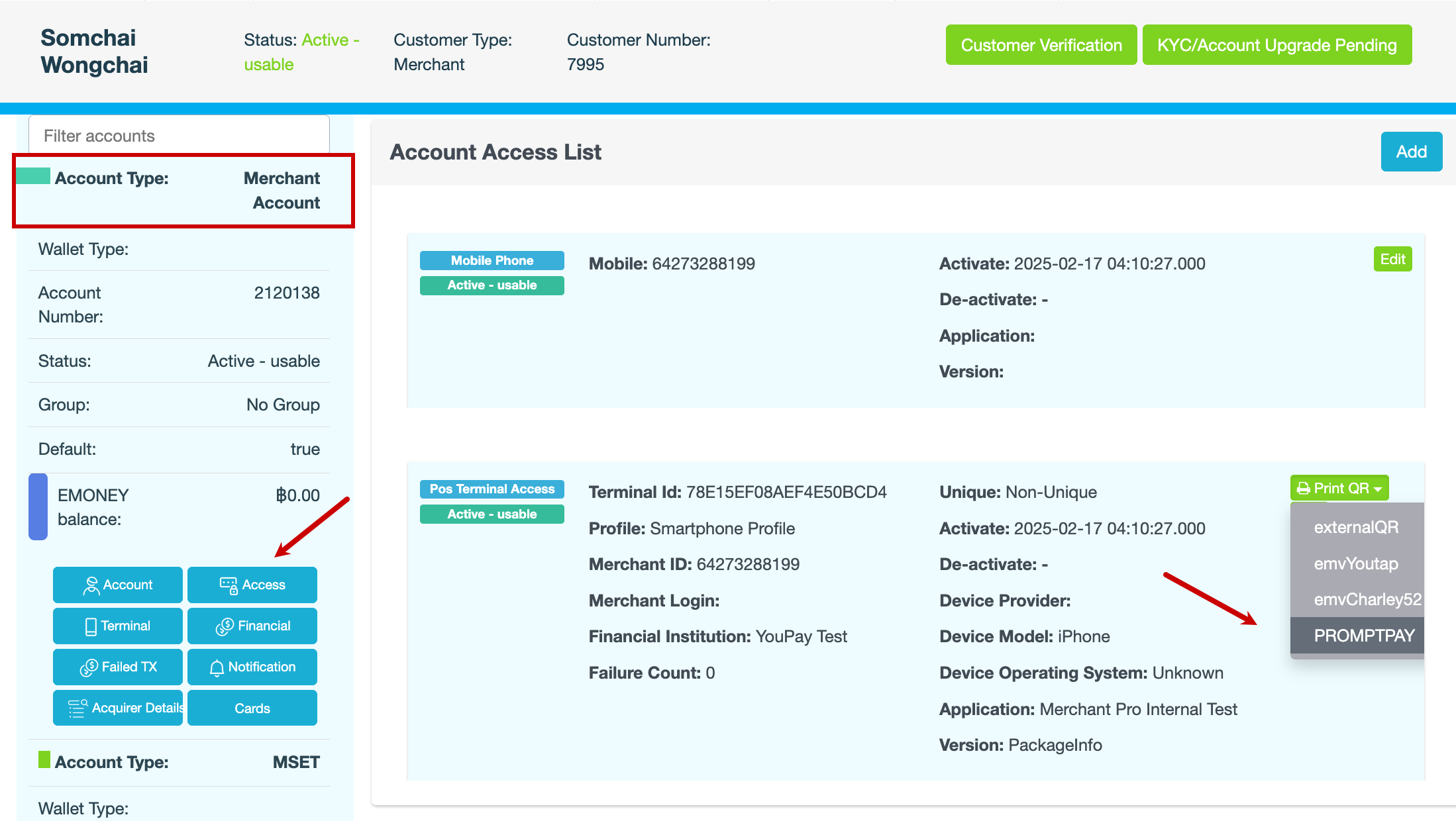
In the blue pane, locate the Merchant account, then click Access.
-
On the Account Access List page, locate the PoS terminal, then click Print QR > PROMPTPAY.
The QR code is displayed. You can either:Print the QR code and post it to the merchant, orSave the QR code as a PDF file and email it.