
Before you begin
Adding rules
-
On the
AMS
menu, click Financial > Account Management > Wallet Types.
-
On the Wallet Types page, ensure that the product that you just integrated is selected.
-
On the top right of the page, next to Rules, click Add.
-
Enter the following information:
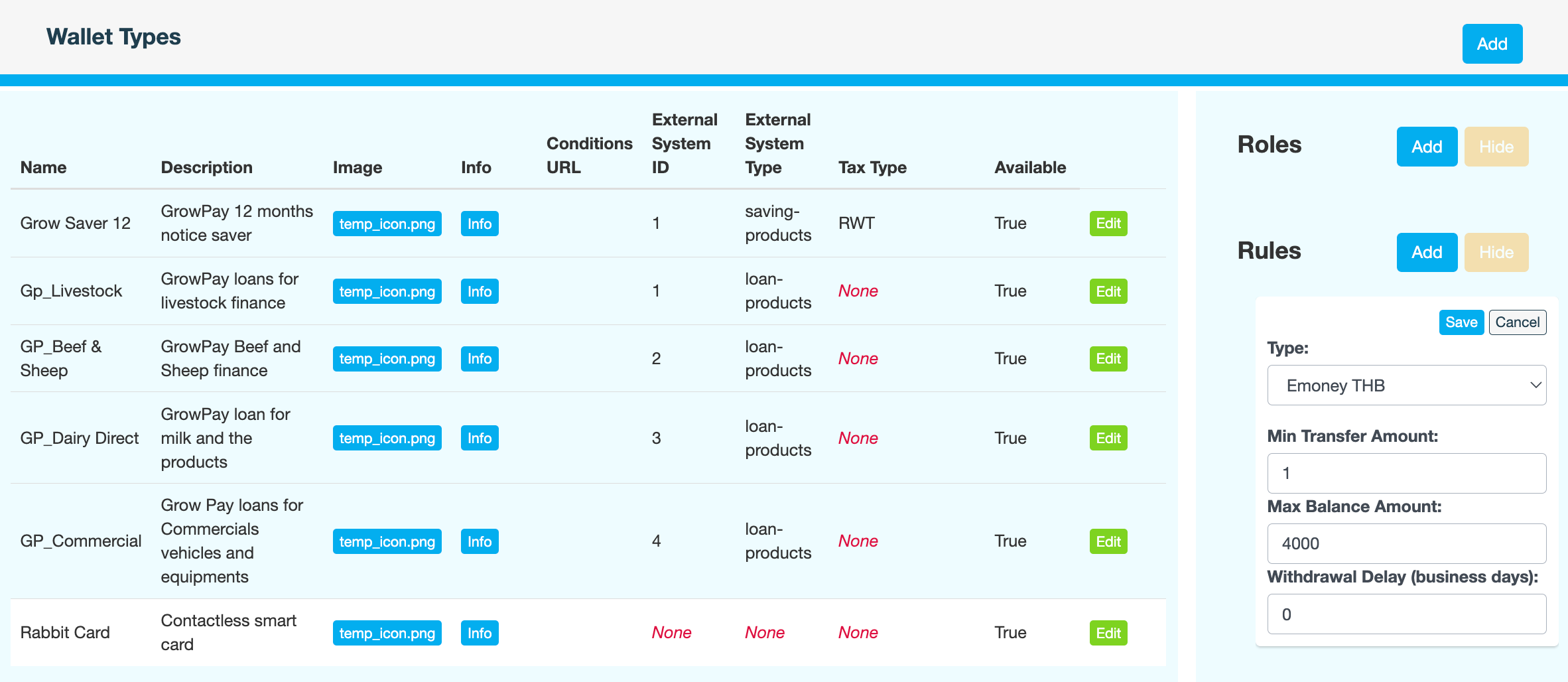
Field
Description
Type
Select Emoney THB or EPurse USD.
Min Transfer Amount
Minimum amount that must be transferred.
Max Balance Amount
Maximum balance permitted in accounts of this type. For example, 4000 Baht.
Withdrawal Delay (business days)
When a customer requests a withdrawal, this is the delay between the withdrawal request and when the funds are deposited into the user’s default wallet account. Customers earn interest on the funds in the account until the withdrawal is processed.
If you want the funds to be deposited immediately, without delay, enter 0.
-
Click Save.
-
Enter a reason, then click CONFIRM.