
-
On the
AMS
menu, click Admin > Configuration > Wallet Configuration.
-
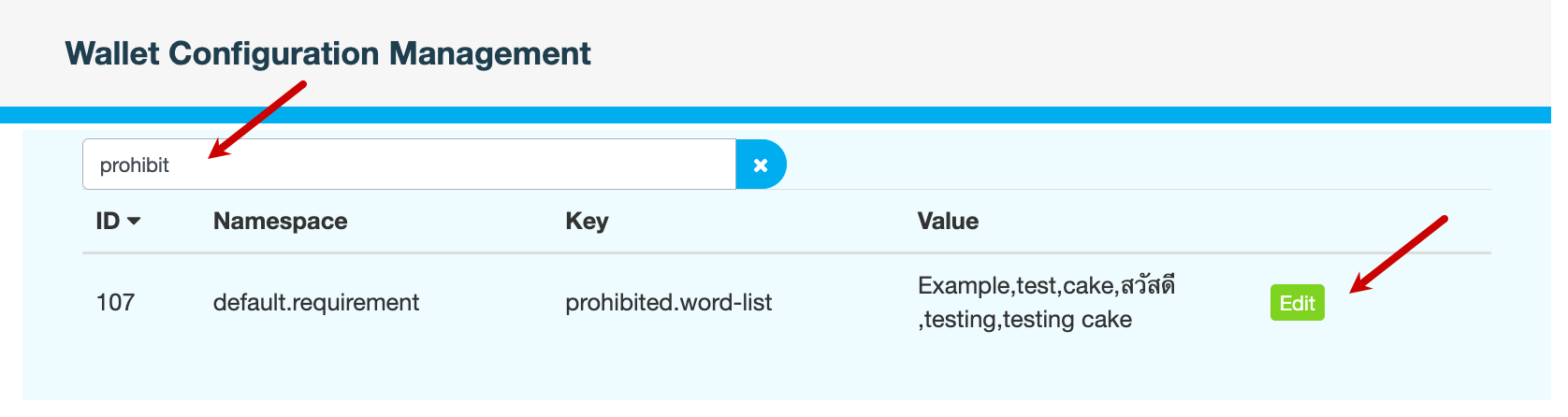
On the Wallet Configuration Management page, in the Search All Configurations field, enter
prohibit. -
Click Edit to modify the word list.
Key
Description
prohibited.word-listA comma-separated list of words that cannot be used in store names, product names or product descriptions. This prevents offensive, misleading or inappropriate terms from being used in publicly-visible content.
-
Click Save to apply your changes.
-
Enter a reason for modifying the word list, then click CONFIRM.
Also see