
You can set custom balance limits for each balance type.
-
On the
Youtap Administration Management System
menu, click Financial > Account Management > Balance Types.
-
Under Balance Limit Settings, locate the balance type you want to update, then click Edit in the row.
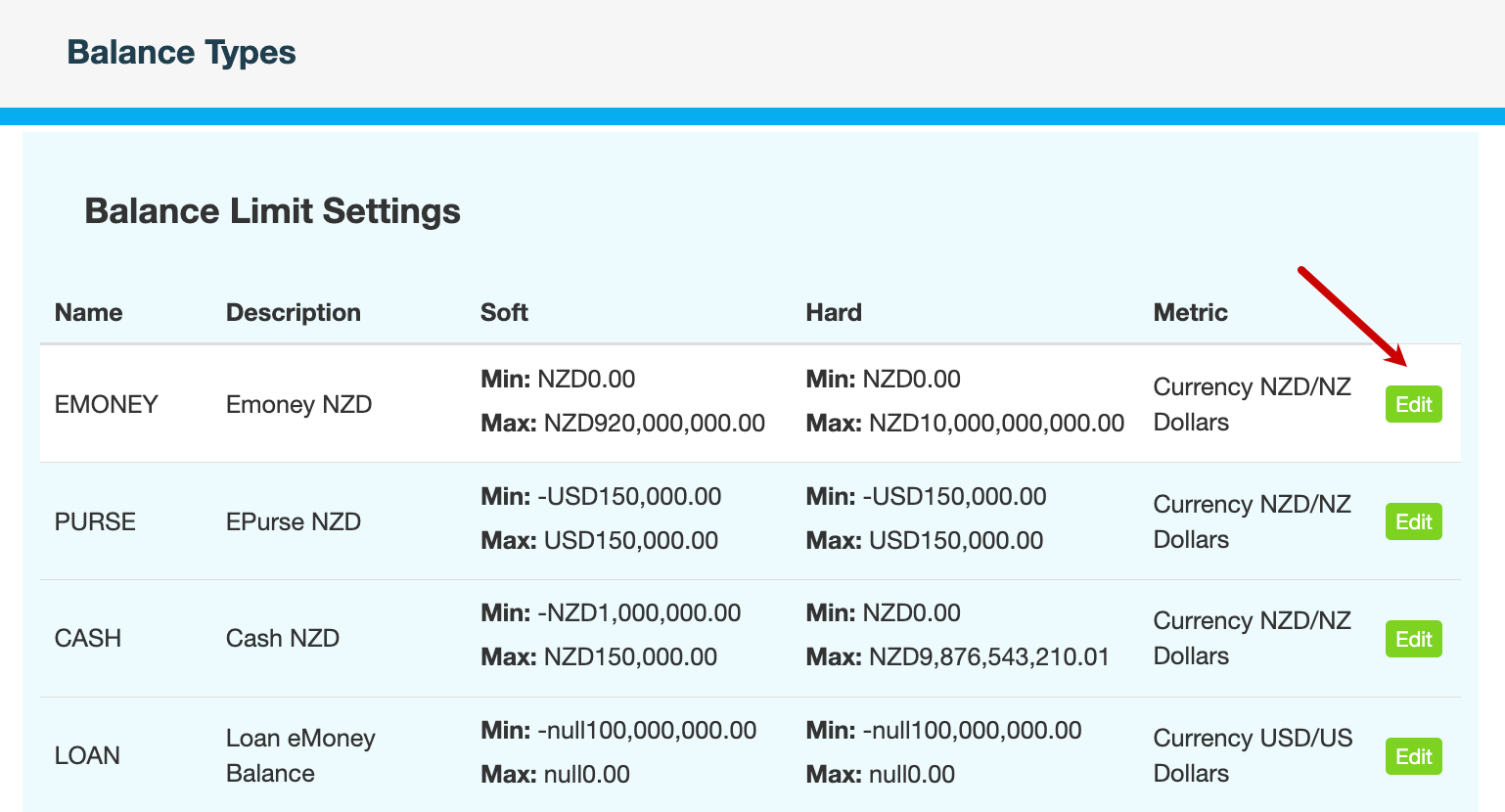
-
Specify the range within which transactions are permitted.
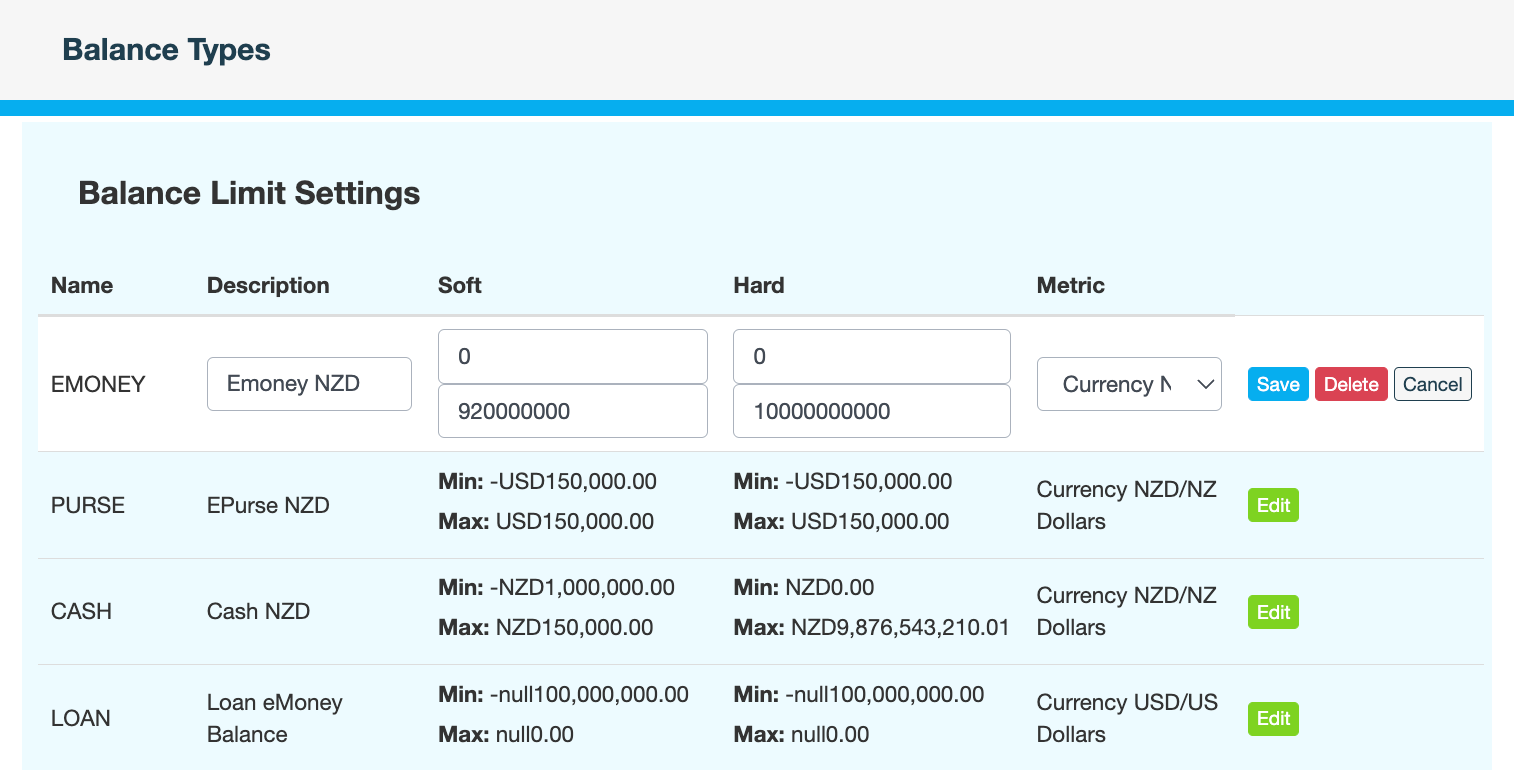
Field
Description
Description
Description of the balance type. This field should not be changed.
Soft Min
Minimum balance for accounts of this type.
Soft Max
Maximum balance for accounts of this type.
Hard Min
Minimum balance when the account has a shortfall. Applies to overdrafts.
Hard Max
Maximum balance when the account has a surplus. Applies to overdrafts.
Metric
Unit of measurement for the balance type. For example, USD, NZD, THB.
This field should not be changed.
-
Click Save.
-
Enter a reason for changing the balance limits, then click CONFIRM.
What's next
Override balance limits (optional)