
Establish global limits for each transaction type and quickly enable or disable transaction types.
-
On the
AMS
menu, click Financial > Limits > Transaction Limits.
-
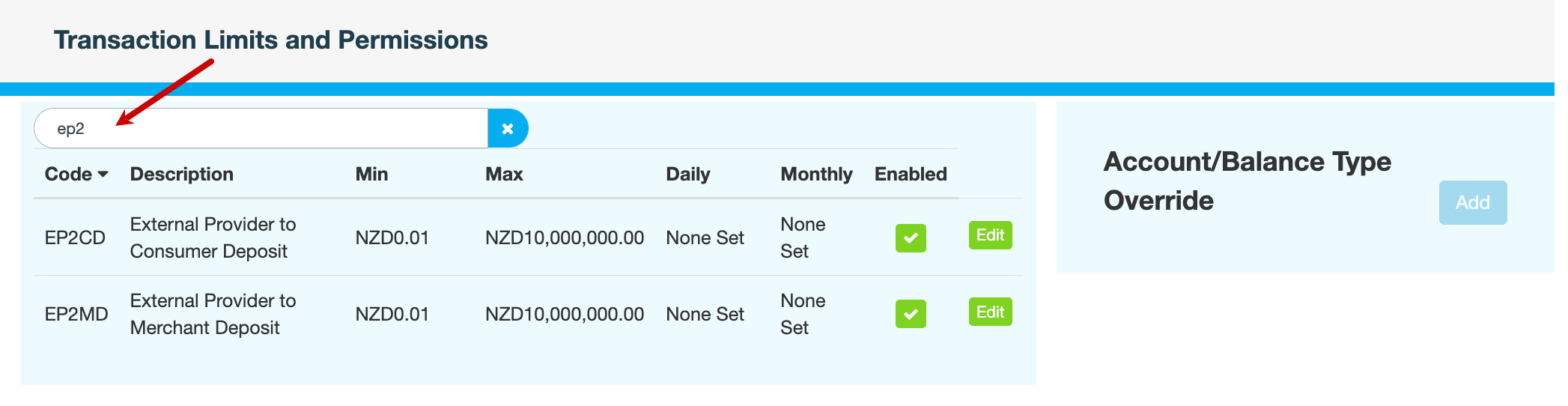
On the Transaction Limits and Permissions page, locate the transaction type whose limits you want to update.
Use the search field at the top to narrow down the list displayed.
-
To enable or disable a transaction type:Click the icon in the Enabled column. A tick means that the transaction type is permitted. A cross means that it is not permitted.Enter a reason, then click CONFIRM.
-
To adjust the limits of a transaction type:
-
Click Edit in the relevant row.
-
Update the fields you require:
Please do not change the Code and Description.
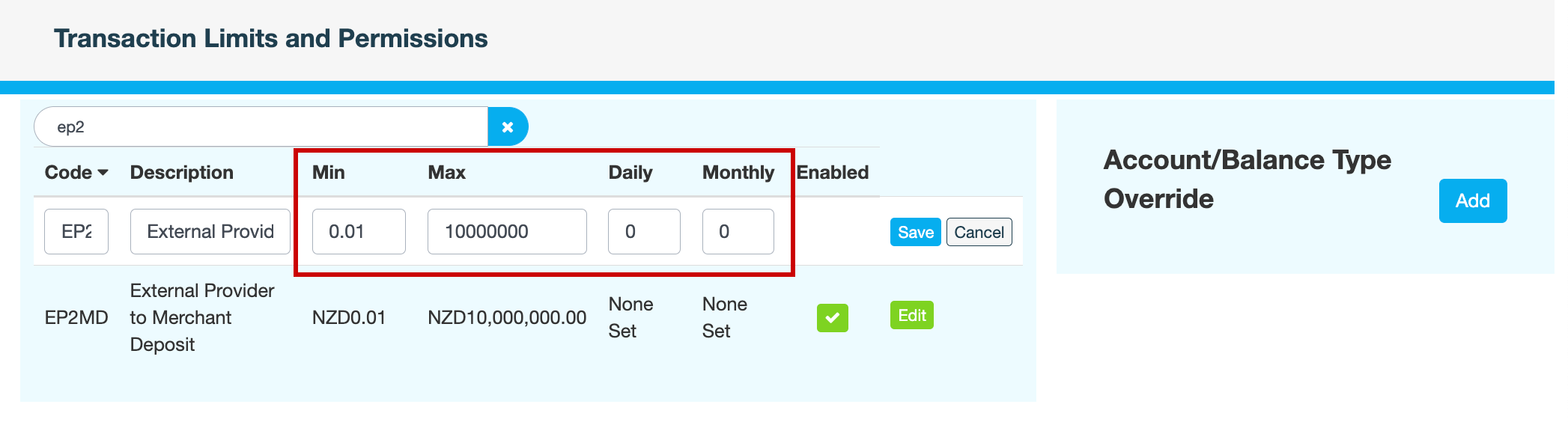
Field
Description
Min
Minimum amount permitted for transactions of this type.
Max
Maximum amount permitted for transactions of this type.
Daily
Cumulative limit per day for transactions of this type.
Monthly
Cumulative limit per month for transactions of this type.
-
-
Click Save.
-
Enter a reason for changing the transaction limits, then click CONFIRM.