
-
On the
AMS
menu, click Admin > Configuration > Wallet Configuration.
-
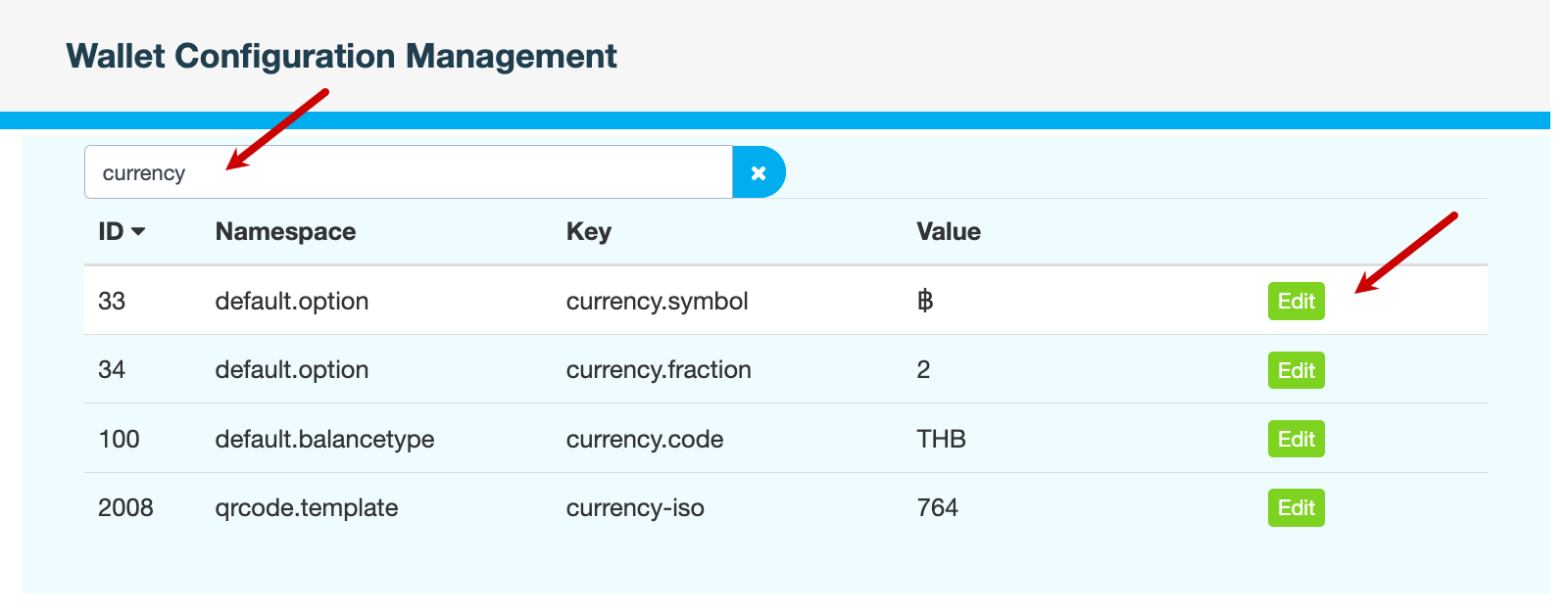
On the Wallet Configuration Management page, in the Search All Configurations field, enter
currency. -
Click Edit to modify the currency settings.
Key
Description
Example
currency.symbolSymbol used for the currency
฿currency.fractionNumber of decimal places used for currency precision
2currency.codeISO 4217 three-letter code for the currency
THBcurrency-isoNumeric ISO code for the currency
764
-
Click Save to apply your changes.
-
Enter a reason for modifying the settings, then click CONFIRM.
Also see