
For quicker processing and settlement of withdrawals and transfers, you can export transaction data as a daily CSV file. This file can then be uploaded to Bank of New Zealand (BNZ) to initiate final settlement.
Generating transaction files
AMS
provides two ways to access to your transaction data.
-
Scheduled generation – Scheduled files are generated at 2 a.m. each day and include all the transactions from the previous day. This makes them perfect for daily reviews or record-keeping that does not require immediate, up-to-the-minute data. The files are listed chronologically, enabling you to easily locate and download the data for any given day.
-
The Today button generates and downloads a file up to the current moment. It is particularly useful for accessing transaction data in real-time, ensuring that you have the most current information at your fingertips.
Exporting withdrawal transactions
-
On the
AMS
menu, click Settlement and Reconciliation > Bank Files > Export Withdrawals.
-
Use the date fields at the top of the Files for Direct Bank Credit page to narrow down the list of files displayed.
-
Click Download next to the file you want to send to BNZ.
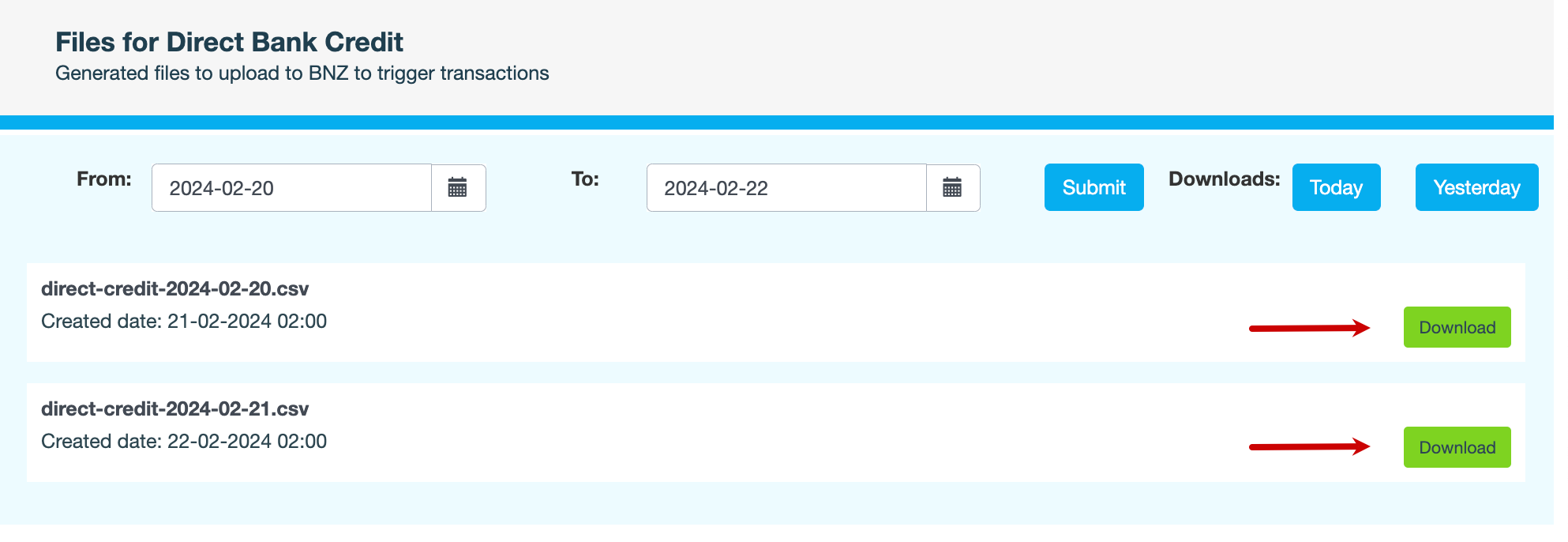
Alternatively, click the Today and Yesterday buttons to download the most recent bank files.