-
On the
AMS
menu, click Languages and Translation > Terms & Conditions Management.
-
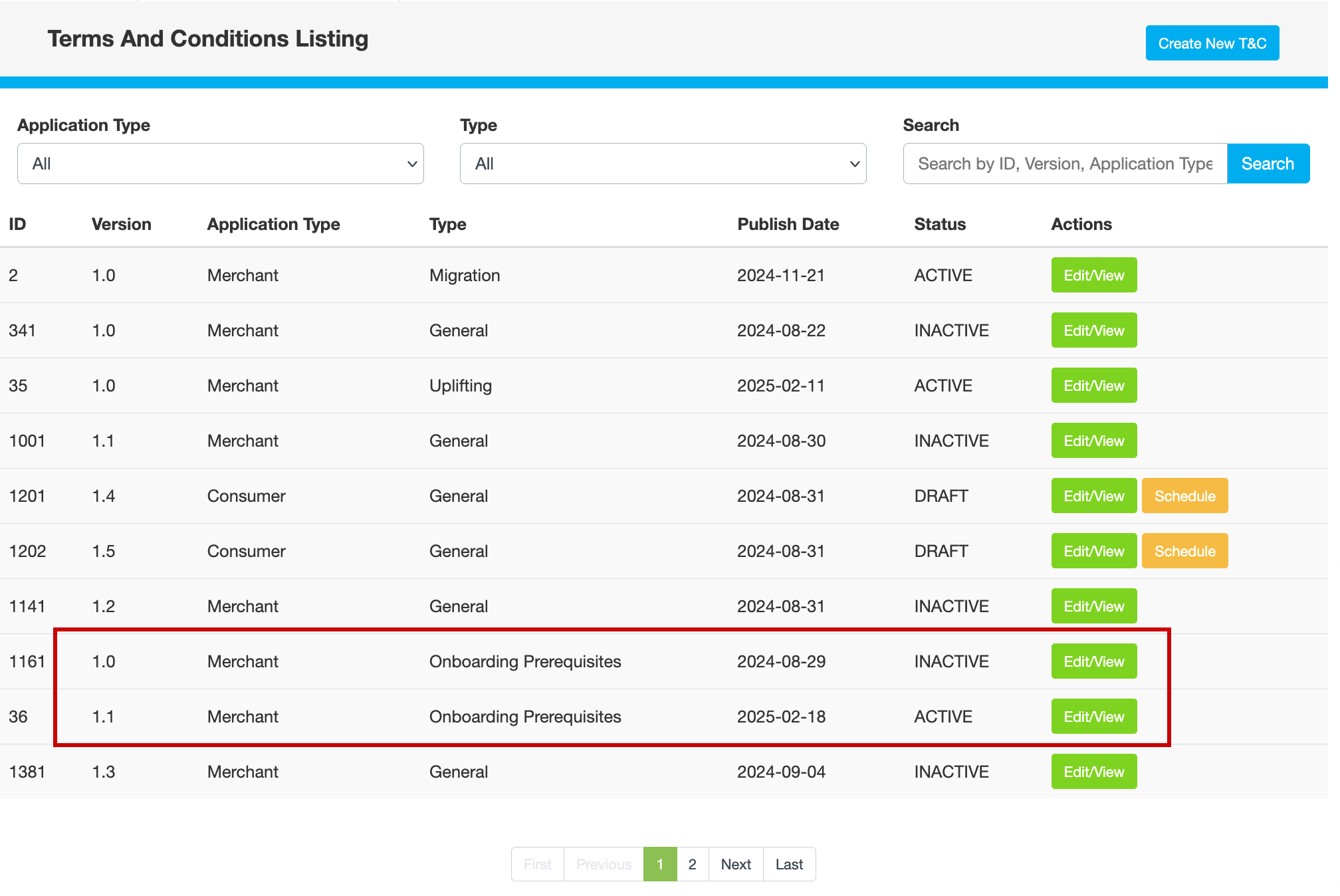
On the Terms And Conditions Listing page, click Create New T&C.
-
Under Create T&C, enter the following information:
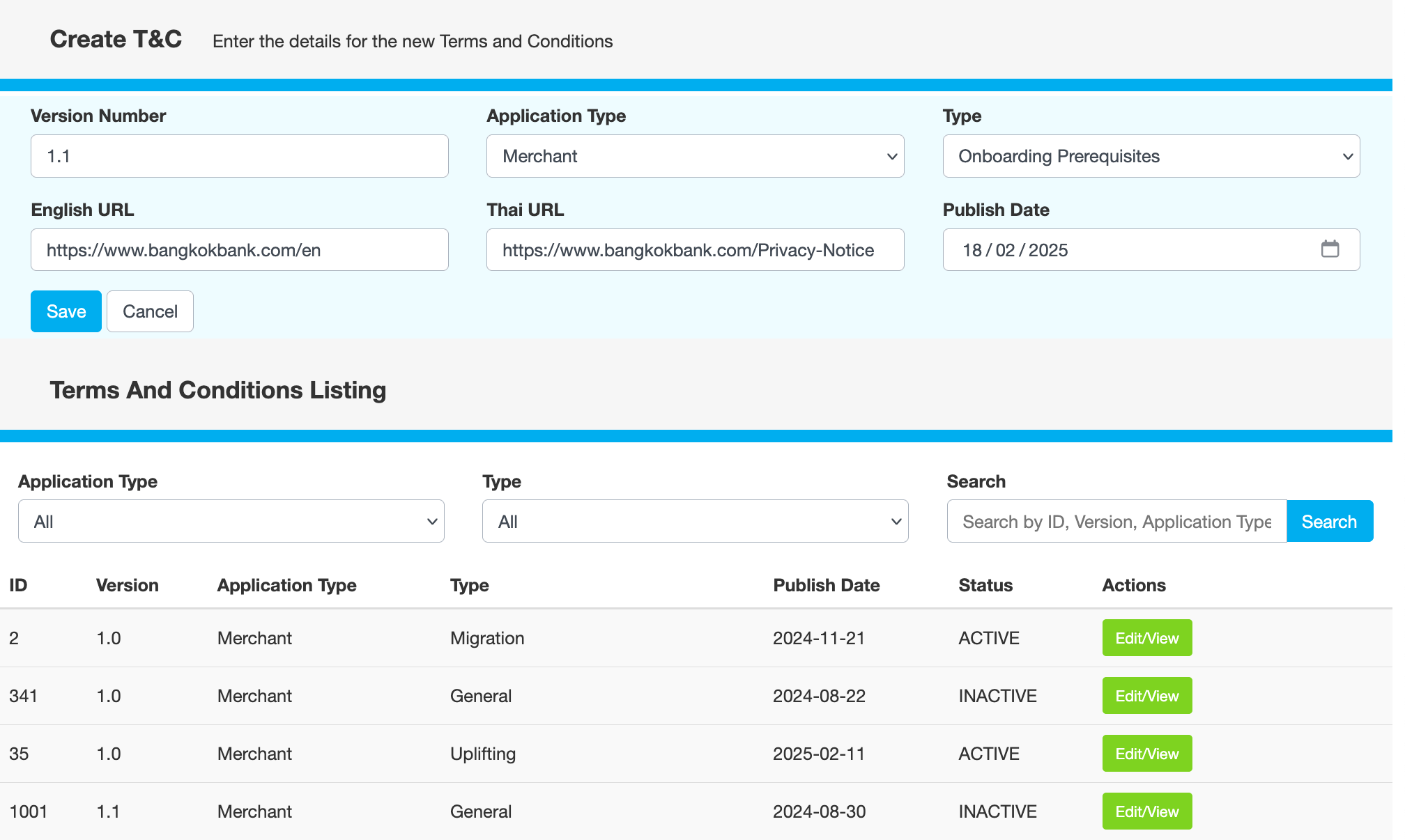
Field
Description
Version Number
Version of the terms and conditions
Application Type
Whether the terms apply to merchants or consumers
Type
Purpose of the terms. For example, Onboarding Prerequisites.
English URL
Link to the English terms and conditions
Thai URL
Link to the Thai terms and conditions
Publish Date
Date on which the terms should be published
-
Click Save, then click YES to confirm that you want to go ahead. The status of this version changes to DRAFT.
-
Click Schedule, then click YES to confirm that you want to go ahead.
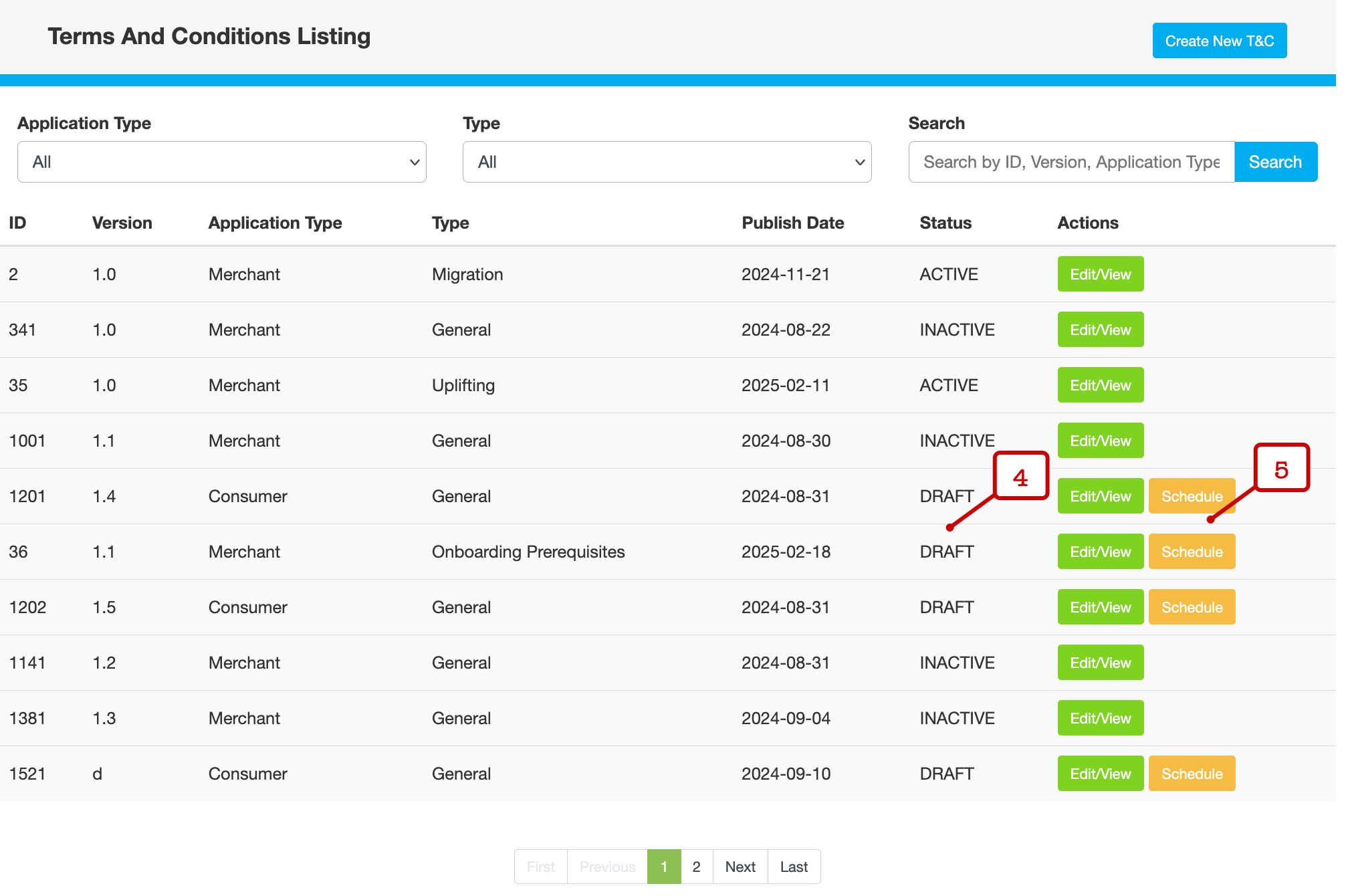
The status changes to ACTIVE, while the previous version becomes INACTIVE.