
All actions performed in CMS and AMS are logged in the database.
-
On the AMS menu, click Admin > Audit.
-
On the Audit Search page, enter your search criteria:
|
Field |
Description |
|---|---|
|
Operator Name |
All or part of the username of the user who performed the action |
|
Action Code |
The action performed |
|
Account Id |
The exact Account ID of the affected wallet account. |
|
Customer Id |
The exact Customer ID of the affected customer |
|
Mobile Number |
The exact mobile number of the affected customer |
|
Date Range |
The date range when the action occurred |
-
Click Search. AMS displays all the audit log entries that match your criteria. For example...
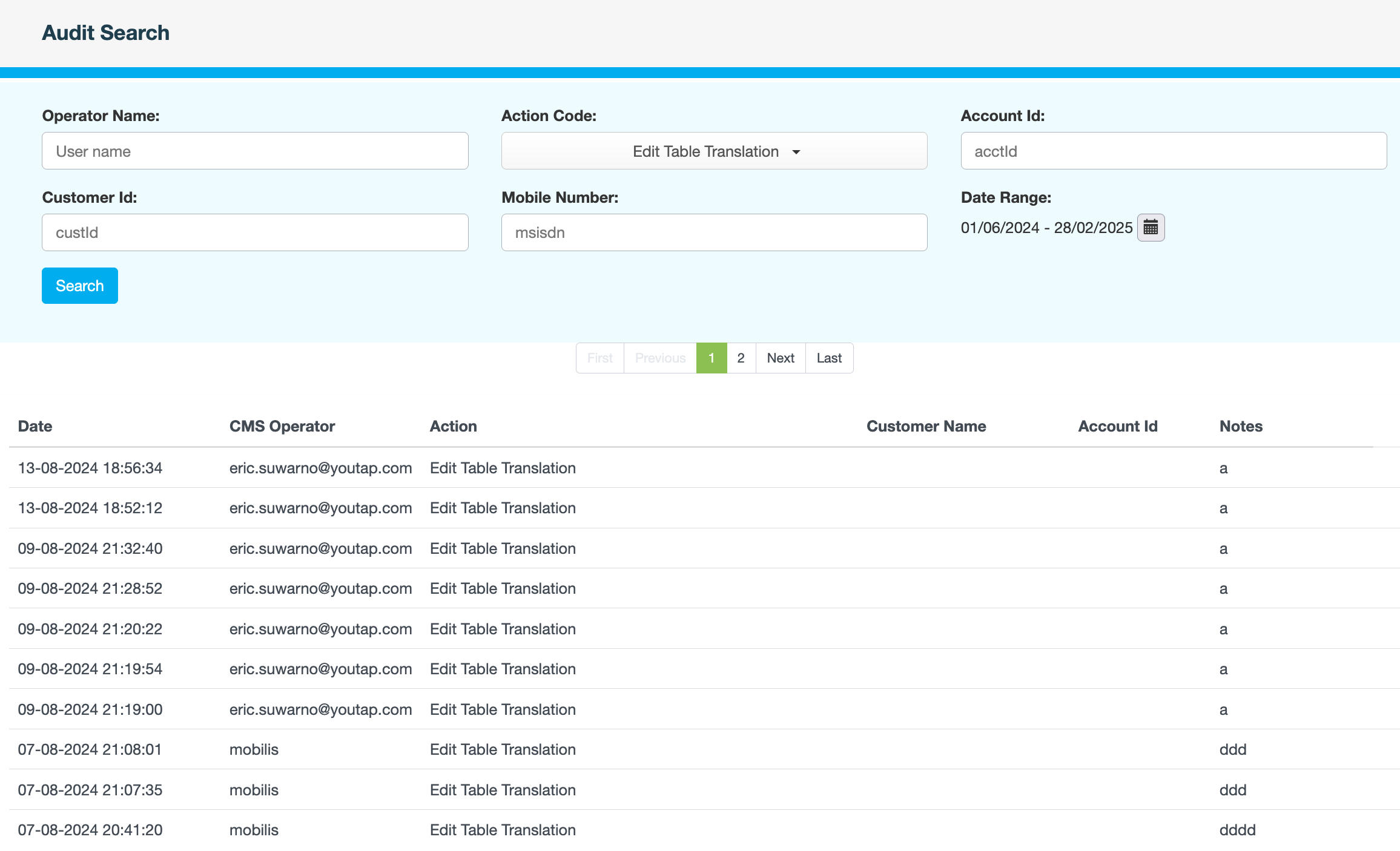
-
Browse through the pages to locate the log entry you require.