
In Update balance limits, you learnt how to set custom balance limits for each balance type. In this article, we will show you how to override the hard limits for specific account types.
-
On the
Youtap Administration Management System
menu, click Financial > Account Management > Balance Types.
-
Under Balance Limit Settings, select a balance type.
-
Under Account Types, click Edit next to an account type.
-
Update the fields as required.
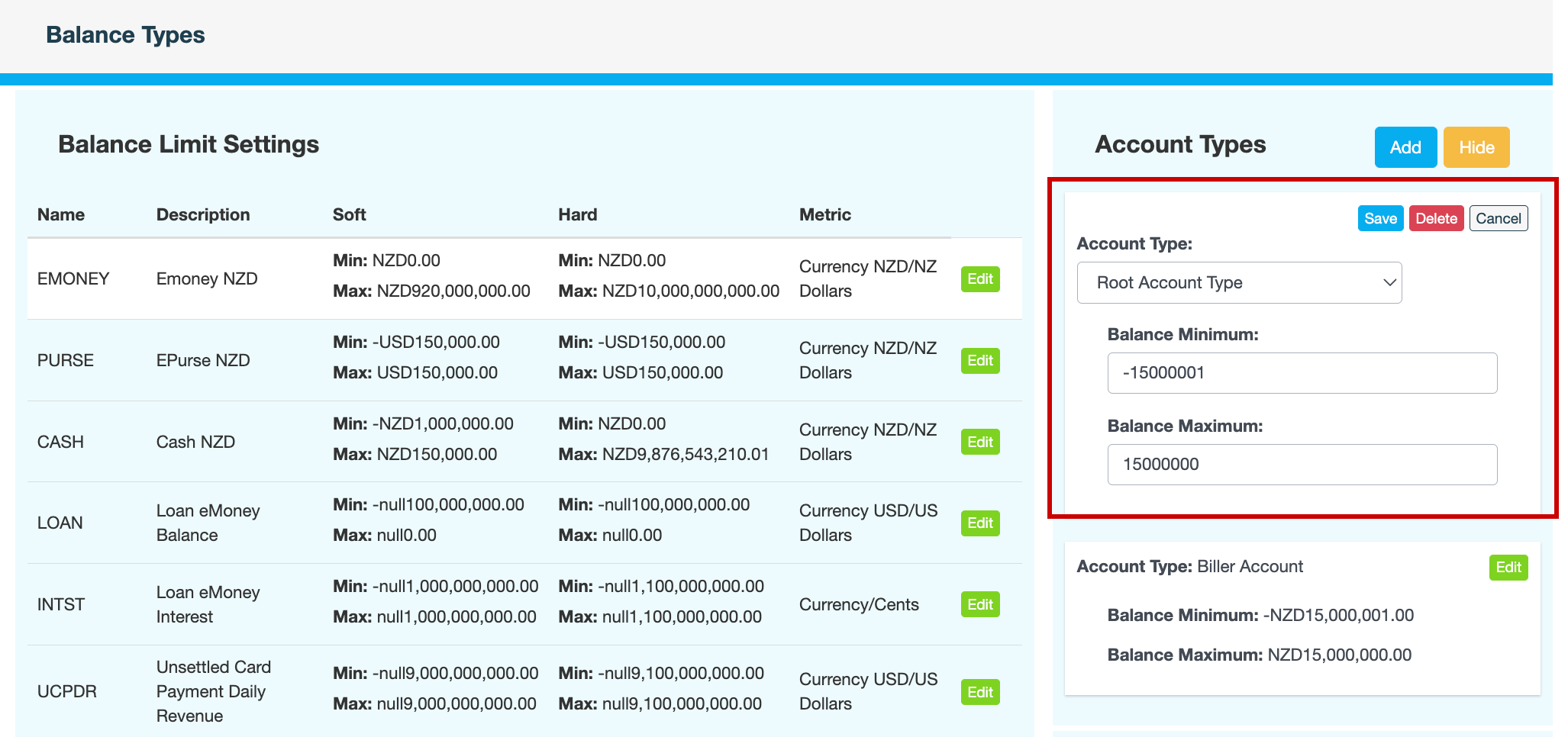
Field
Description
Account type
Account type that is exempted from the limits set under Balance Limit Settings.
Balance Minimum
Minimum balance for accounts of this type.
Balance Maximum
Maximum balance for accounts of this type.
-
Click Save.
-
Enter a reason for overriding the balance limits, then click CONFIRM.